Most money lost around an exchange never touches the exchange. It leaves through a lookalike domain, a direct message from a fake support account, or an app installed from the wrong place. Bitbase runs a channel verification tool that answers one question directly: is this website, email, Telegram handle or social account official? This is how to use it, what to check before you use it, and the two rules that need no tool at all.
Start here: the verification tool
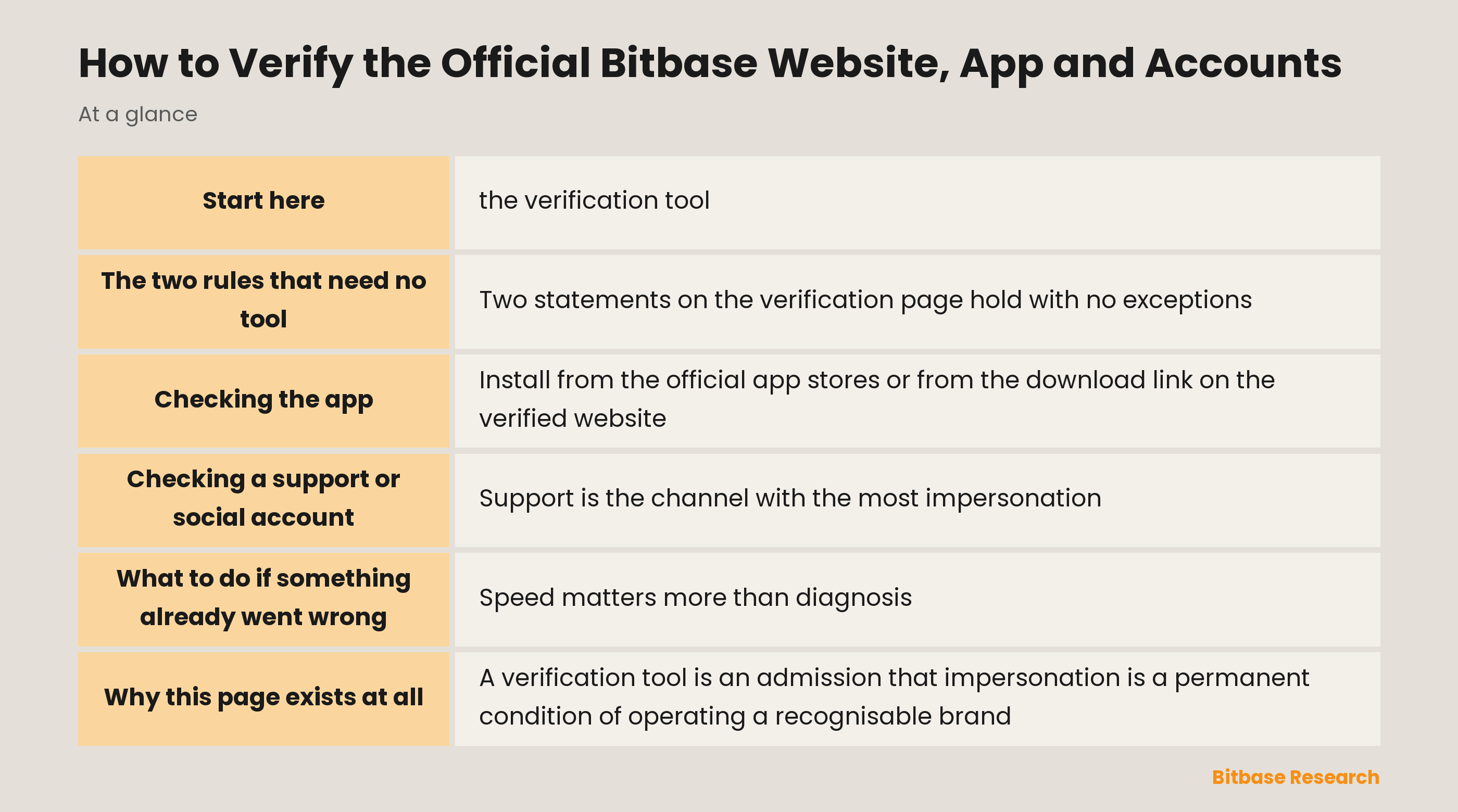
Bitbase publishes an official channel verification page. Enter a website address, an email address, a Telegram account or a social media account, and it tells you whether that channel is an official Bitbase source.
Use it before you act, not after. The moment to check a support account is when it first messages you, not after you have sent something. The moment to check a domain is before you type a password into it. The tool costs a few seconds and the alternative costs everything in the account.
One habit makes it reliable: type or paste the channel into the tool yourself. Do not click a link someone sent you that claims to be the verification page, because a fake verification page confirming a fake support account is a coherent attack, and it is the natural next move once a checker exists.
The two rules that need no tool
Two statements on the verification page hold with no exceptions, which is what makes them useful. They are worth memorising, because they resolve most situations before any checking is required.
Official Bitbase channels never contact you first by direct message, and never ask you to share personal, financial or account information. They will never ask you to transfer funds or digital assets to us or to any third party.
Anything that does either of those is not Bitbase. Not a partner, not a regional agent, not a special promotion team. The logo, the display name and the follower count are all cheap to copy; the rule is what does not change.
Checking a website
The domain is the whole check, and the trick used against you is that domains are read by shape rather than by character.
| Check | What to do | Why it works |
|---|---|---|
| The domain itself | Read it right to left from the final slash: the part immediately before the first `/` is the real domain | Attack domains hide the real host in a long prefix |
| Character swaps | Look for `rn` in place of `m`, digits for letters, added hyphens or extra words | Lookalikes rely on shape, not spelling |
| How you arrived | Type the address yourself or use your own bookmark | Search ads and forwarded links are the usual entry point |
| The verification tool | Paste the full address into the checker | It settles the question rather than estimating it |
Bookmark the address once you have verified it, then use the bookmark. That single habit removes the most common way people arrive at the wrong site, because arriving via search results or a message is where the substitution happens.
Checking the app
Install from the official app stores or from the download link on the verified website, and nowhere else. Sideloaded packages from a chat message or a third-party mirror are the highest-risk installation path there is, since an app with the correct icon can do anything the operating system permits.
Check the publisher name on the store listing rather than the app name, since the name is easy to imitate and the publisher is harder. If an update prompt arrives by message rather than through the store, treat it as an attack until the store itself shows the same update.
Checking a support or social account
Support is the channel with the most impersonation, because a person contacting support is already expecting a reply and already has a problem they want solved. That combination is exactly what a fake account needs.
Run the handle through the verification tool. Then apply the rule above: real support does not open the conversation, and does not ask for credentials, recovery phrases, two-factor codes or transfers. A request for any of those identifies the account regardless of how convincing everything else looks.
Be wary of the reply under an official post. Replies are open to anyone, so an impostor account with a matching avatar can appear directly beneath genuine content, and that adjacency is the entire trick. The same applies to group chats: being added to a group whose name matches ours proves nothing, because anyone can create a group and name it anything.
One more signal is worth knowing. Urgency is the tell. Real support has no reason to compress your decision into the next few minutes, while an impostor needs exactly that, because the pressure is what stops you checking.
What to do if something already went wrong
Speed matters more than diagnosis. In order: change the account password, revoke active sessions, check that the withdrawal whitelist has not been altered and that two-factor is still bound to your own device, then contact support through a channel you verified yourself rather than the one that contacted you.
The order matters because each step closes a door the next one depends on. Changing the password without revoking sessions leaves an attacker already inside; revoking sessions without checking the whitelist leaves a route out that survives both.
If a transfer has already left, the on-chain part is final and no exchange can reverse it. What is still worth doing is securing the account so a first loss does not become a repeated one, and reporting the channel so it can be taken down for the next person.
Why this page exists at all
A verification tool is an admission that impersonation is a permanent condition of operating a recognisable brand, not a solved problem. Names get reused, domains get registered, accounts get cloned. A published checker treats that as ongoing rather than pretending it away.
It is also why a list of known fake domains would be the wrong thing to publish. Such a list is stale the day after it appears, while a checker keeps answering. The wider safety picture and the platform security mechanisms cover what happens on the other side of the login.
The bottom line
Verify the channel before you act, using the checker at the official verification page, and paste the address in yourself rather than following a link to it.
Remember the two rules that need no tool: official channels never message you first, and never ask for your information or your funds. Bookmark the verified site and install only from the stores. Nearly every loss attributed to an exchange would have been stopped by one of those habits. To keep learning the fundamentals, follow more from Bitbase Academy.
Related reading
Other Bitbase articles on this topic:
- NFT Bid Scams and Fake Token Offers Explained
- Floor Price Manipulation on Non-Fungible Token Marketplaces
- What Is a Rug Pull?
- Buy Walls, Sell Walls, and Order Book Depth
- Money Flow Index and the Chaikin Oscillator
Disclaimer: This article is educational content from Bitbase Academy, provided for information only. It does not constitute investment, trading, tax, or financial advice. Crypto assets are volatile; assess your own risk. Written as of September 2026; refer to the latest official information.
References
[1] Bitbase, Official Channel Verification www.bitbase.com
[2] Bitbase, About Bitbase — company overview and regulatory registrations www.bitbase.com